Skip to content
TradinSolutions
PricingProp traders
Log inBecome a member
ProductsTrade copierSignal copierJournal and Stark AIChartMacro DeskCash flowFutures
TradinSolutionsAboutBlogEducationChangelogAffiliateContact us
HelpHelp centreFAQCommunitySupport
MembersBecome a memberLog inYour workspacePricingProp tradersAcademy
LegalTerms of ServicePrivacy PolicyCookie PolicyRisk disclosureRefund policySoftware licenceAcceptable useAffiliate termsData requests

TradinSolutions© 2026 TradinSolutions

TradinSolutions is not a broker, a signal provider or an adviser. Your money stays at your broker. Every trading decision is yours.

Trading leveraged products carries a high level of risk and can result in the loss of all invested capital. Not investment advice.

劳逸
结合
LÁO YÌ JIÉ HÉ · WORK AND REST, IN BALANCE
TRADINSOLUTIONSWelcome, trader.
v1.0 open beta · Free to start

We'll do the busywork. Trade your plan.

Built for futures and CFD traders. Your personal and prop accounts, demo or live, with copy trading, charting, the Macro Desk, journaling and bookkeeping, all in one tab.

Become a memberSee how it works
Chart · XAUUSDLive
4,086.40+0.00%
5m · your journal trades drawn on it
Your workspace

Everything in one tab.

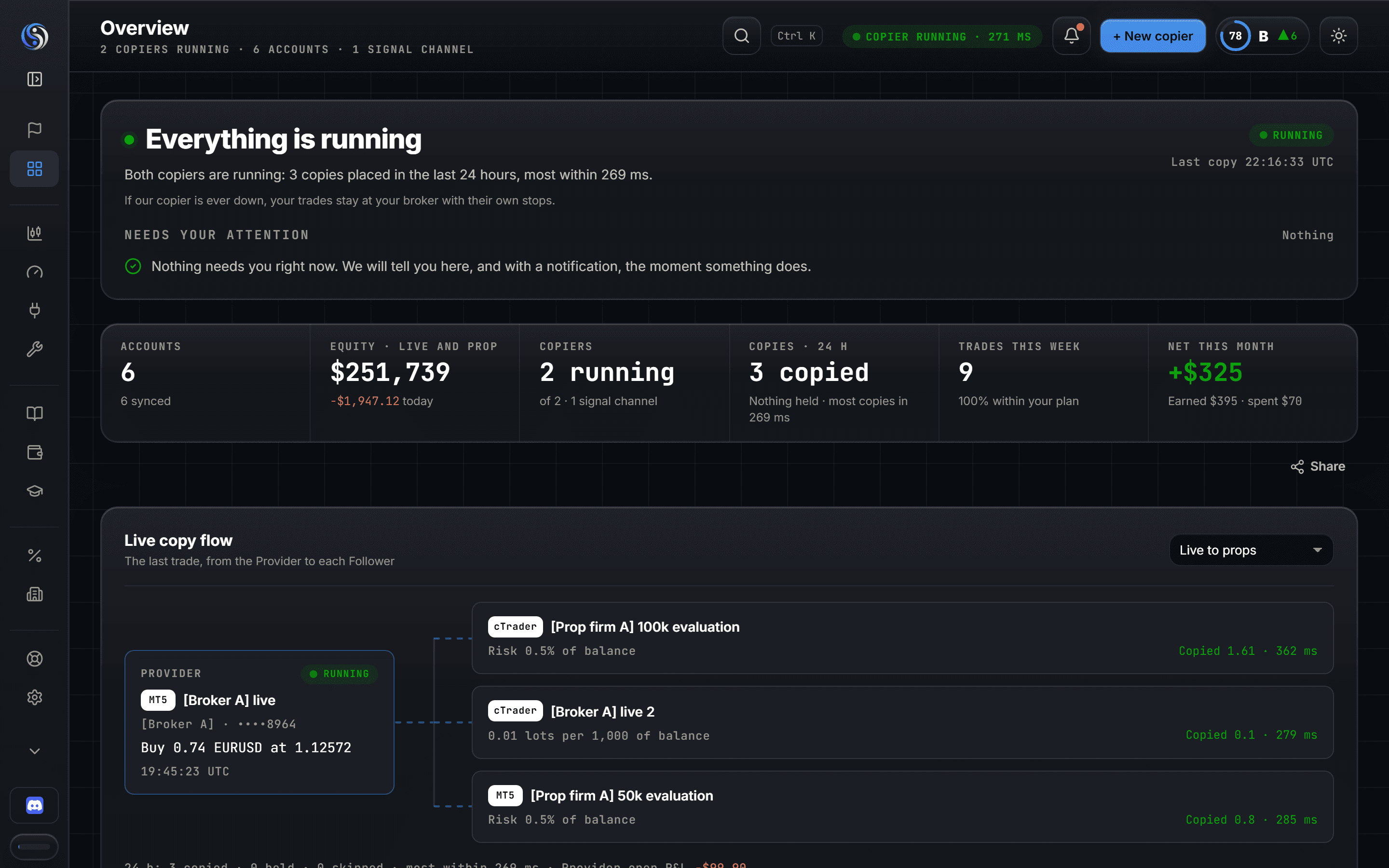
Balances, open trades, copies landing and today's limits, on one screen. On your phone too.
tradinsolutions.com/app
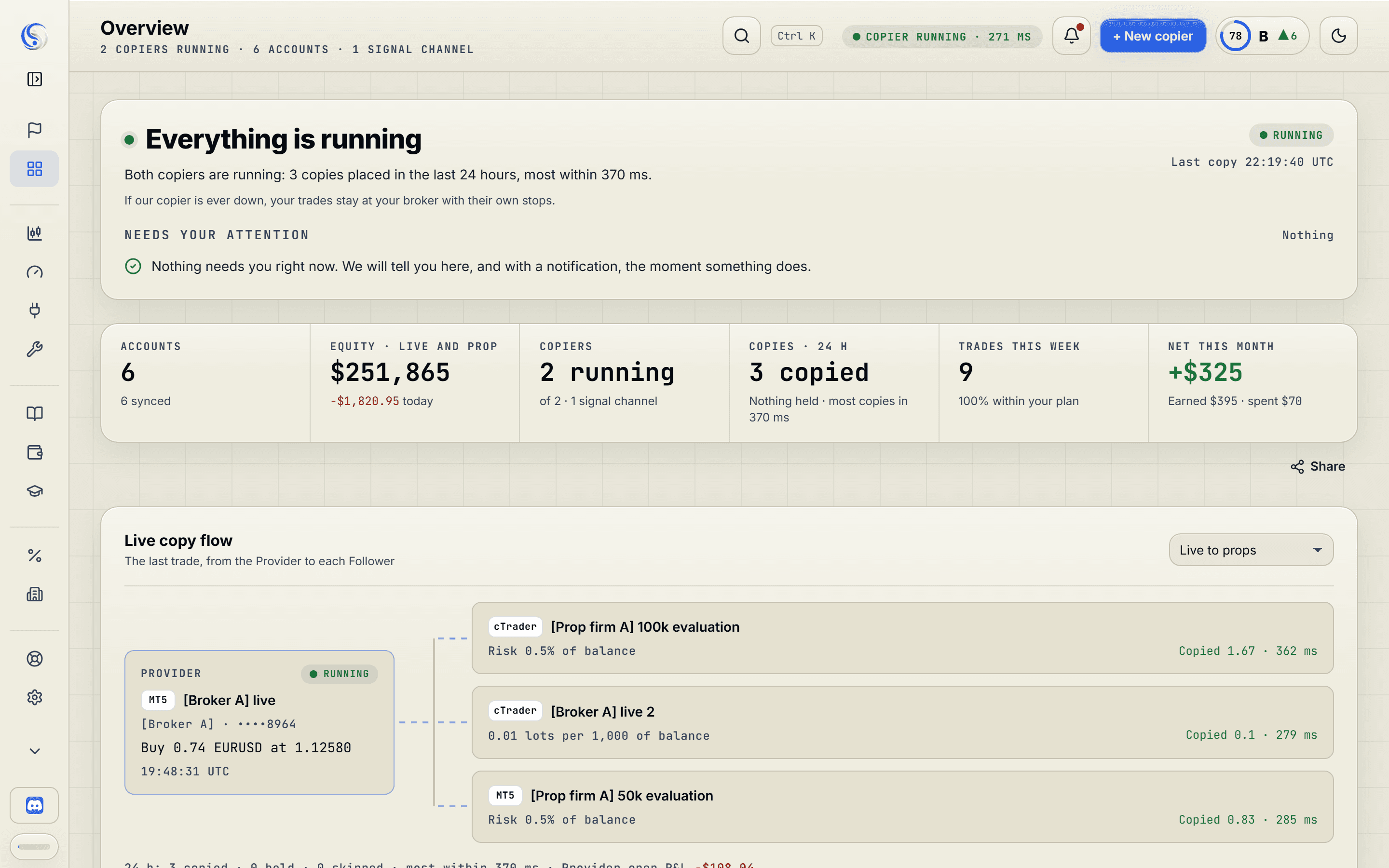
Overview
The member Overview: what needs attention, today's figures, the live copy flow from a Provider to its Followers, the note from Stark (the AI coach) and the accounts summary.The member Overview: what needs attention, today's figures, the live copy flow from a Provider to its Followers, the note from Stark (the AI coach) and the accounts summary.
Overview
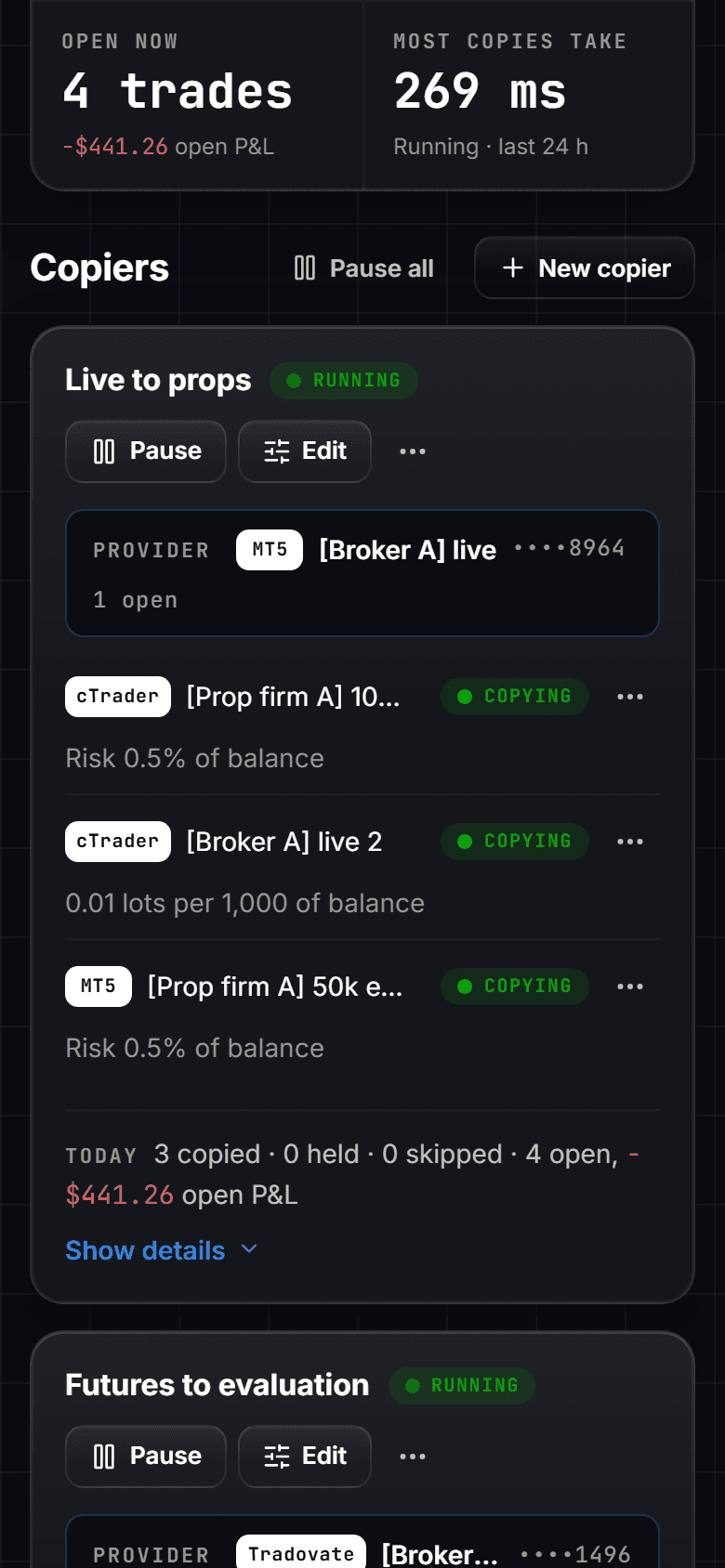
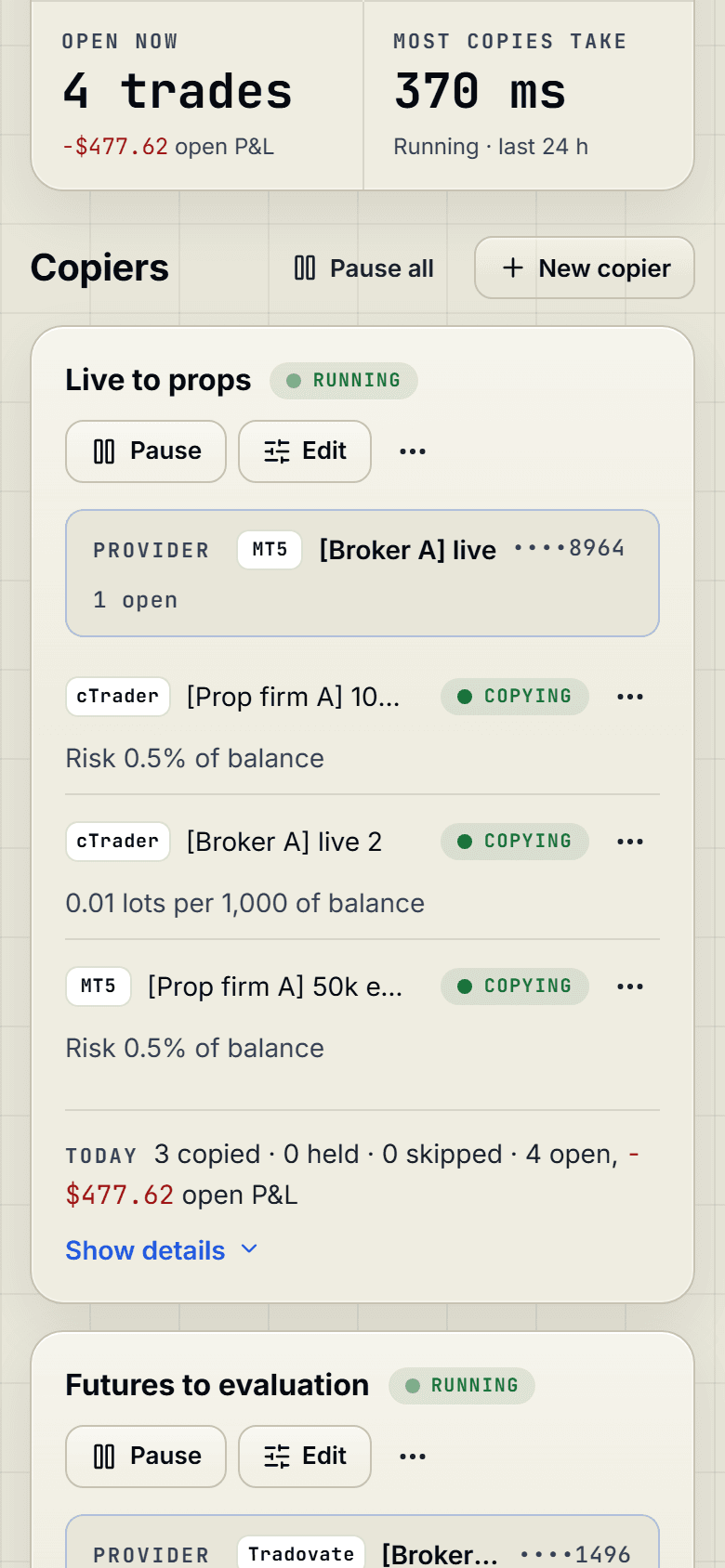
Cockpit
The Cockpit on a phone: a copier card with its Provider, its Followers and their results.The Cockpit on a phone: a copier card with its Provider, its Followers and their results.
Example figures, not a real account
The old way

Ten tabs, five logins and a spreadsheet you stopped updating.

Now it's one tab.

  • The MT5 appAccounts
  • The cTrader appAccounts
  • A Tradovate tabAccounts
  • A copier on a rented serverCopier
  • A risk tool on every accountToolkit
  • The Telegram groupSignal cards
  • A journal spreadsheetJournal
  • An economic calendarMacro Desk
  • A news siteMacro Desk
  • A spreadsheet for the moneyCash flow
How it works

Get started in under 5 minutes with three easy steps.

  1. 01

    Answer a few questions on how you trade.

    Your markets, platforms, accounts and limits. About two minutes.

  2. 02

    Get approved.

    Once your answers are complete and sent, approval takes less than a minute.

  3. 03

    Explore your personalised workspace.

    Open the chart, the Macro Desk and the Toolkit. Connect an account and watch your journal fill itself.

A trading day

Your whole trading day, in one place.

tradinsolutions.com/app/fundamentals
Macro Desk
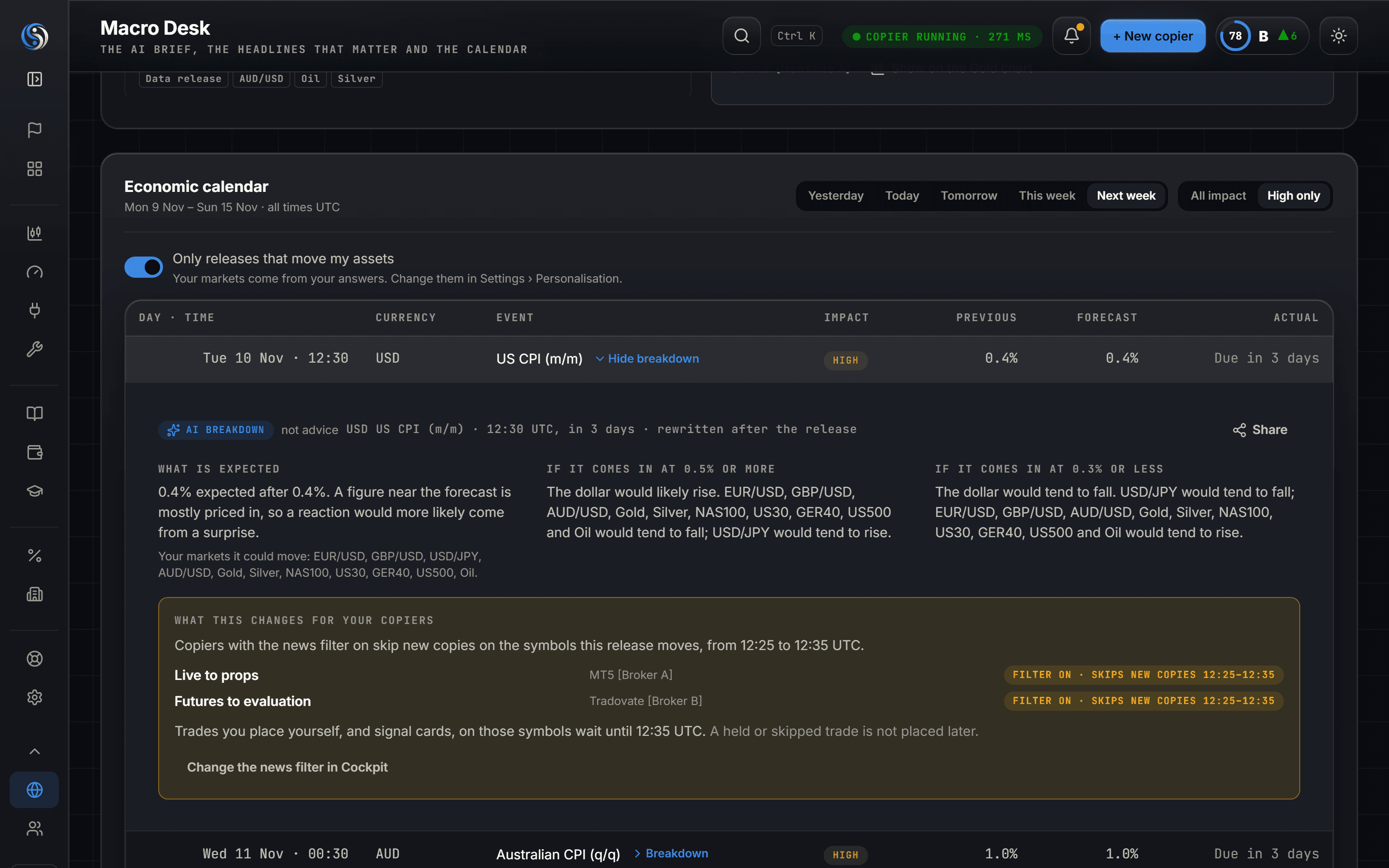
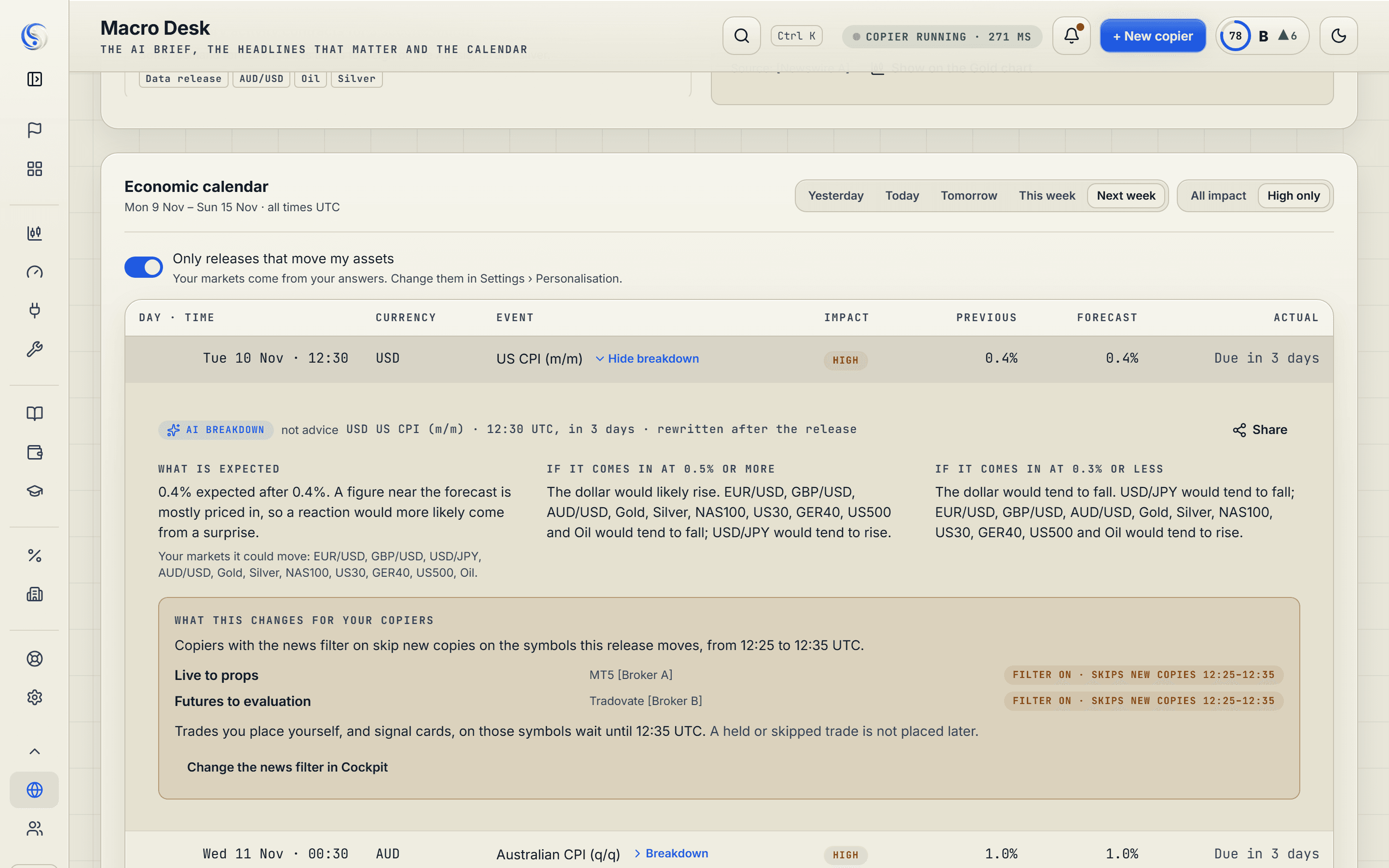
The Macro Desk: the AI-written market brief, graded headlines and the economic calendar with a release's breakdown open.The Macro Desk: the AI-written market brief, graded headlines and the economic calendar with a release's breakdown open.

Before the openMacro Desk

See the Macro Desk

The news moved your pair and you didn't see it coming.

Every release due for your markets, explained before it lands. Free on every plan.

tradinsolutions.com/app/chart
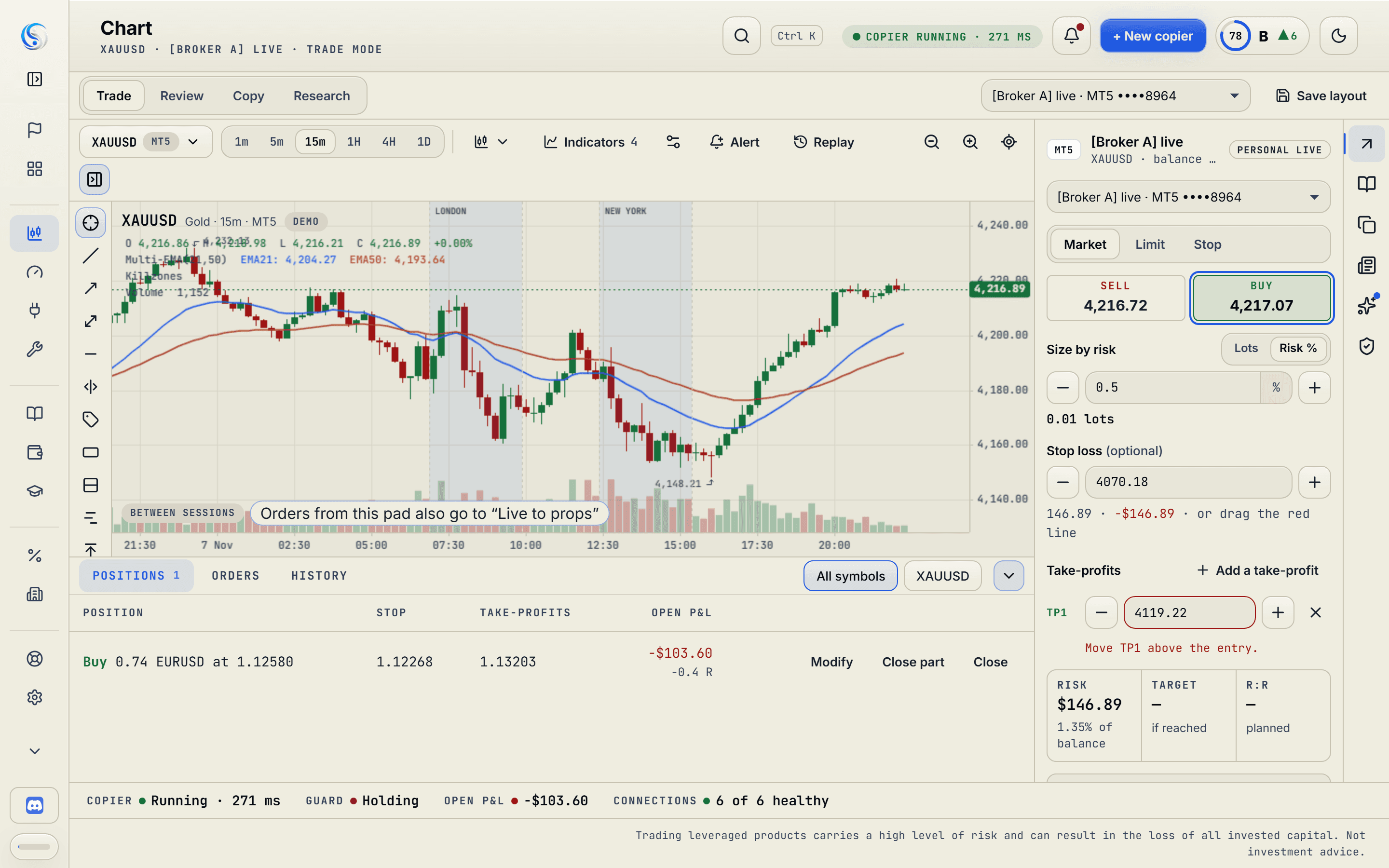
Chart
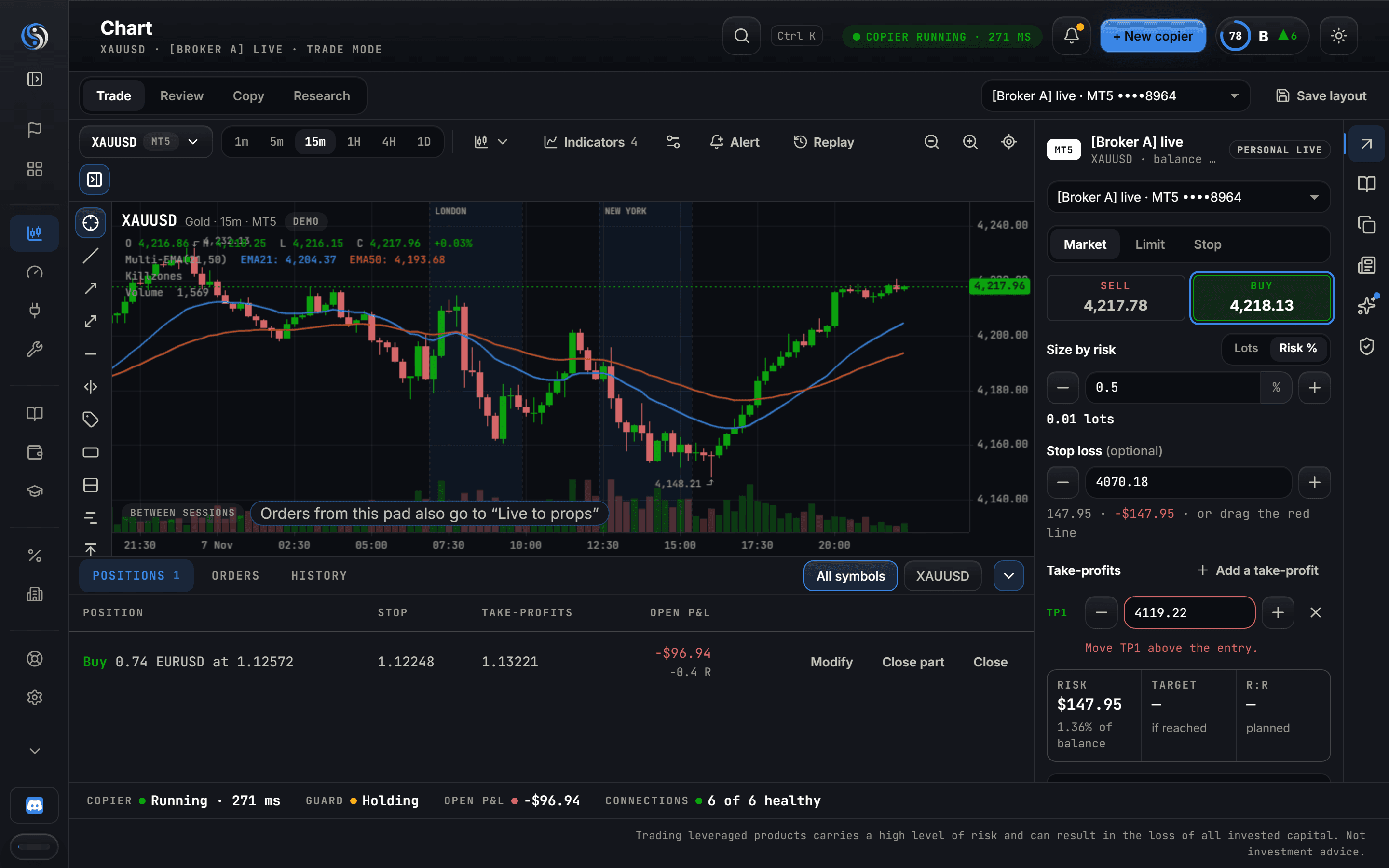
The Chart workspace: candles with position, stop and target lines, the watchlist, and the side dock with the order pad and its tool checks beside the chart.The Chart workspace: candles with position, stop and target lines, the watchlist, and the side dock with the order pad and its tool checks beside the chart.

At the chartChart

See the Chart

Three windows for one trade: the chart, the platform and a calculator.

Read the chart, set the risk, press one button. Your limits are checked before the order leaves.

tradinsolutions.com/app/cockpit
Cockpit
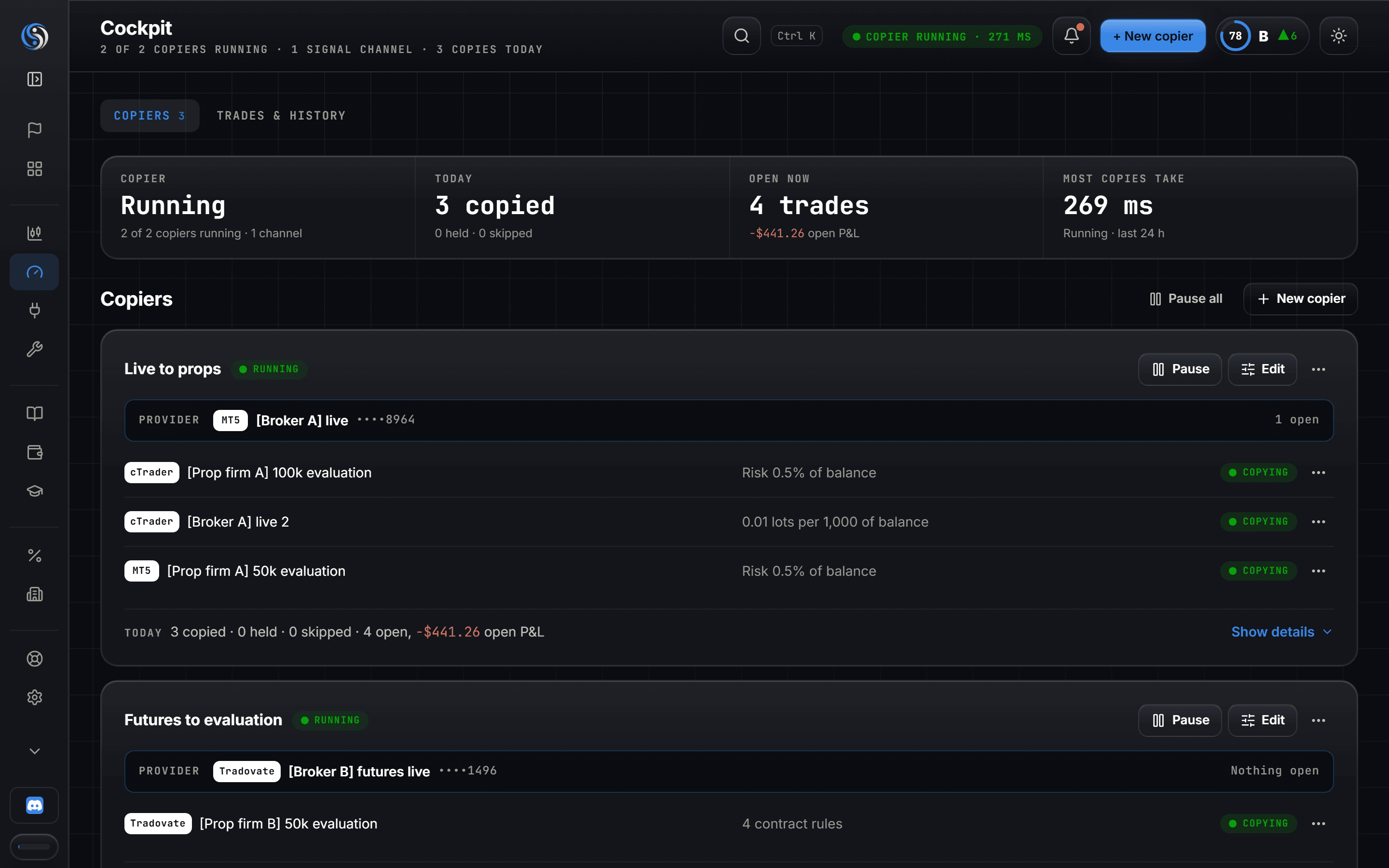
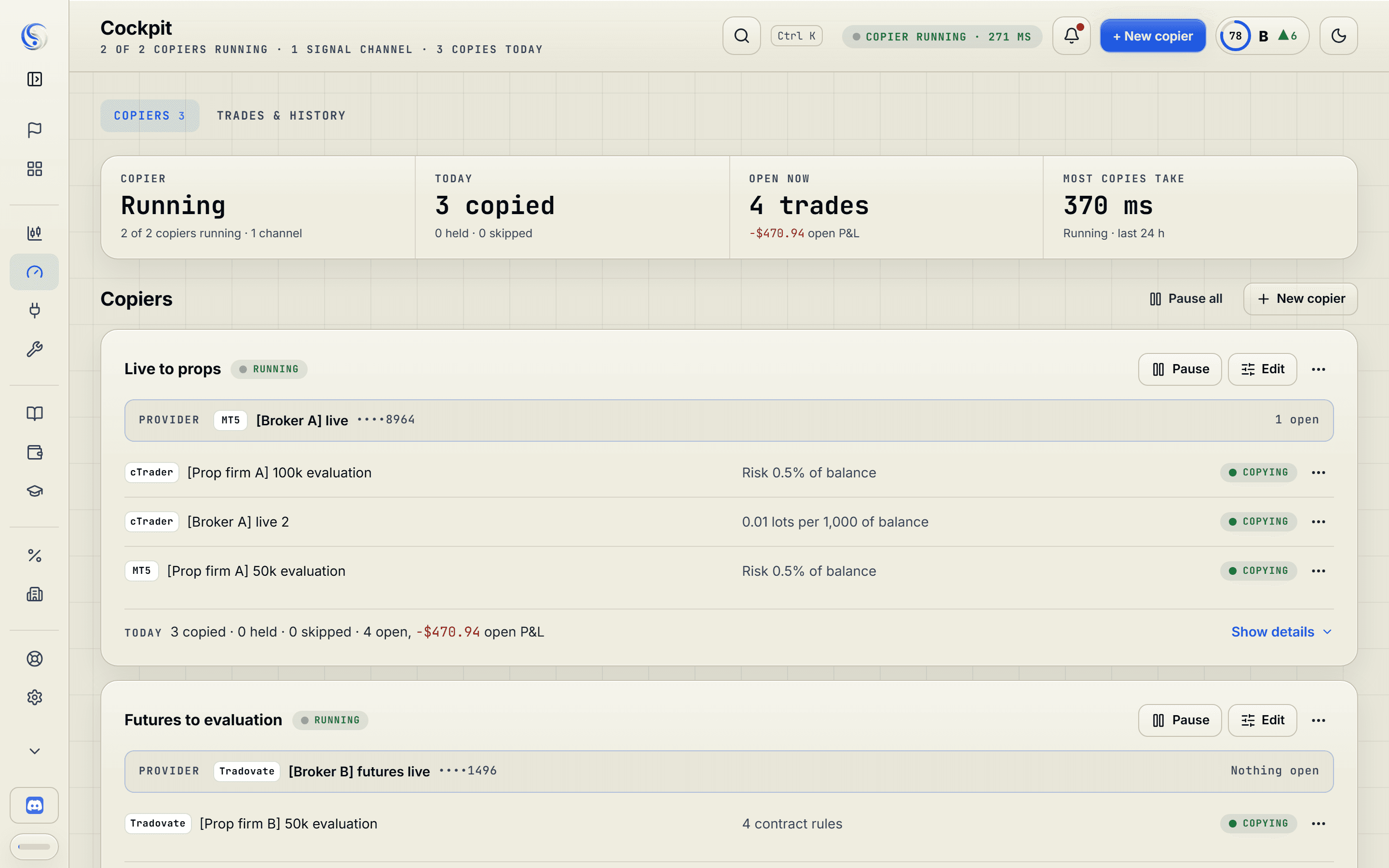
The Cockpit: copier cards, each with a Provider account, its Followers, their size rules and the last copies, copied, held or skipped.The Cockpit: copier cards, each with a Provider account, its Followers, their size rules and the last copies, copied, held or skipped.

When you tradeTrade copier

See the trade copier

Same trade on three accounts, and the size is wrong on the third.

Place it once. Every Follower takes it at its own size, inside its own limits.

tradinsolutions.com/app/cockpit
Signal cards
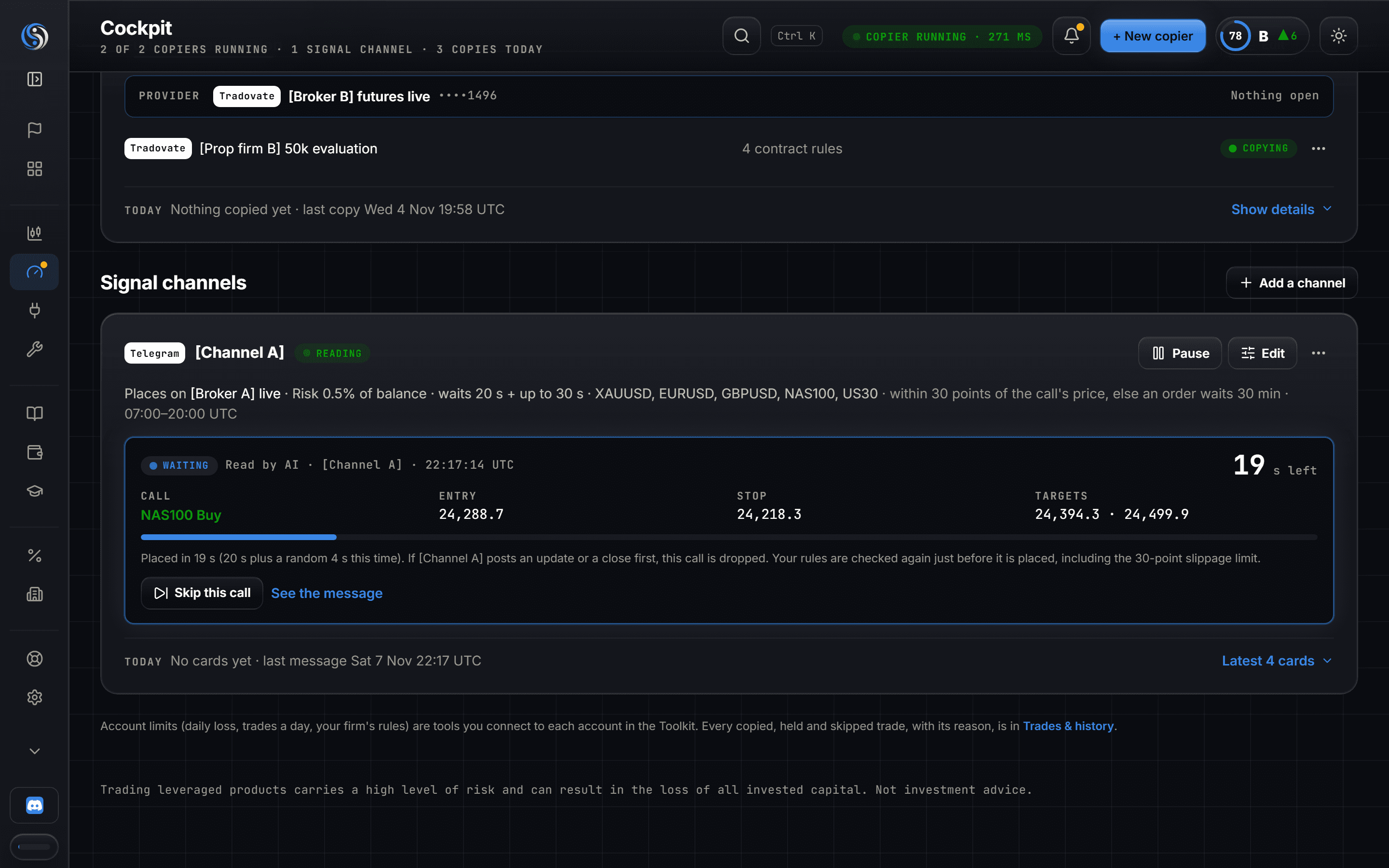
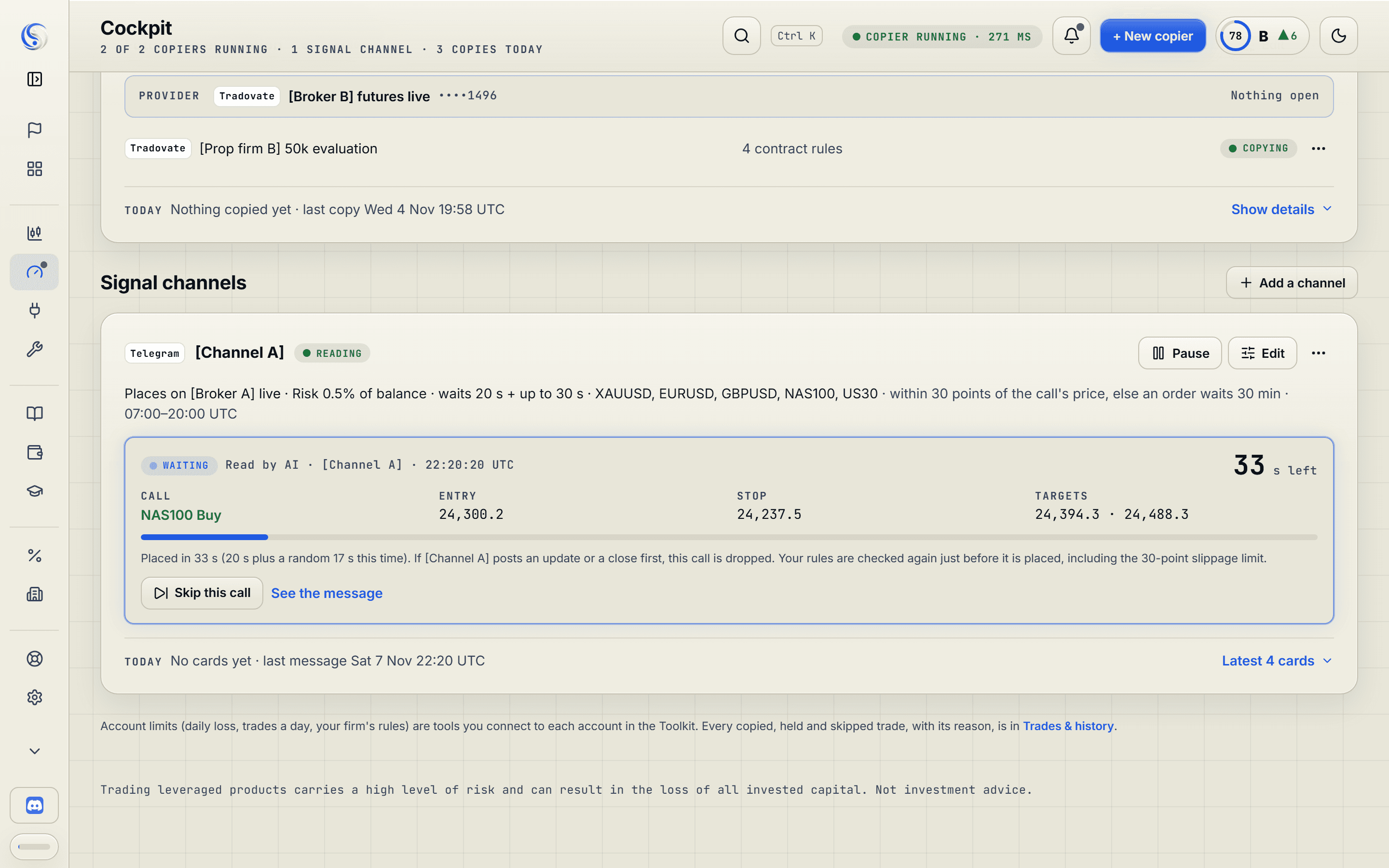
A signal card in the Cockpit: a channel's call read into symbol, side, entry, stop and targets, counting down its entry delay.A signal card in the Cockpit: a channel's call read into symbol, side, entry, stop and targets, counting down its entry delay.

When a call landsSignal copier

See the signal copier

A call lands in your Telegram group while you're busy.

We read the channels you follow and place each call by your rules, even while you're away.

tradinsolutions.com/app/journal
Prop gauges
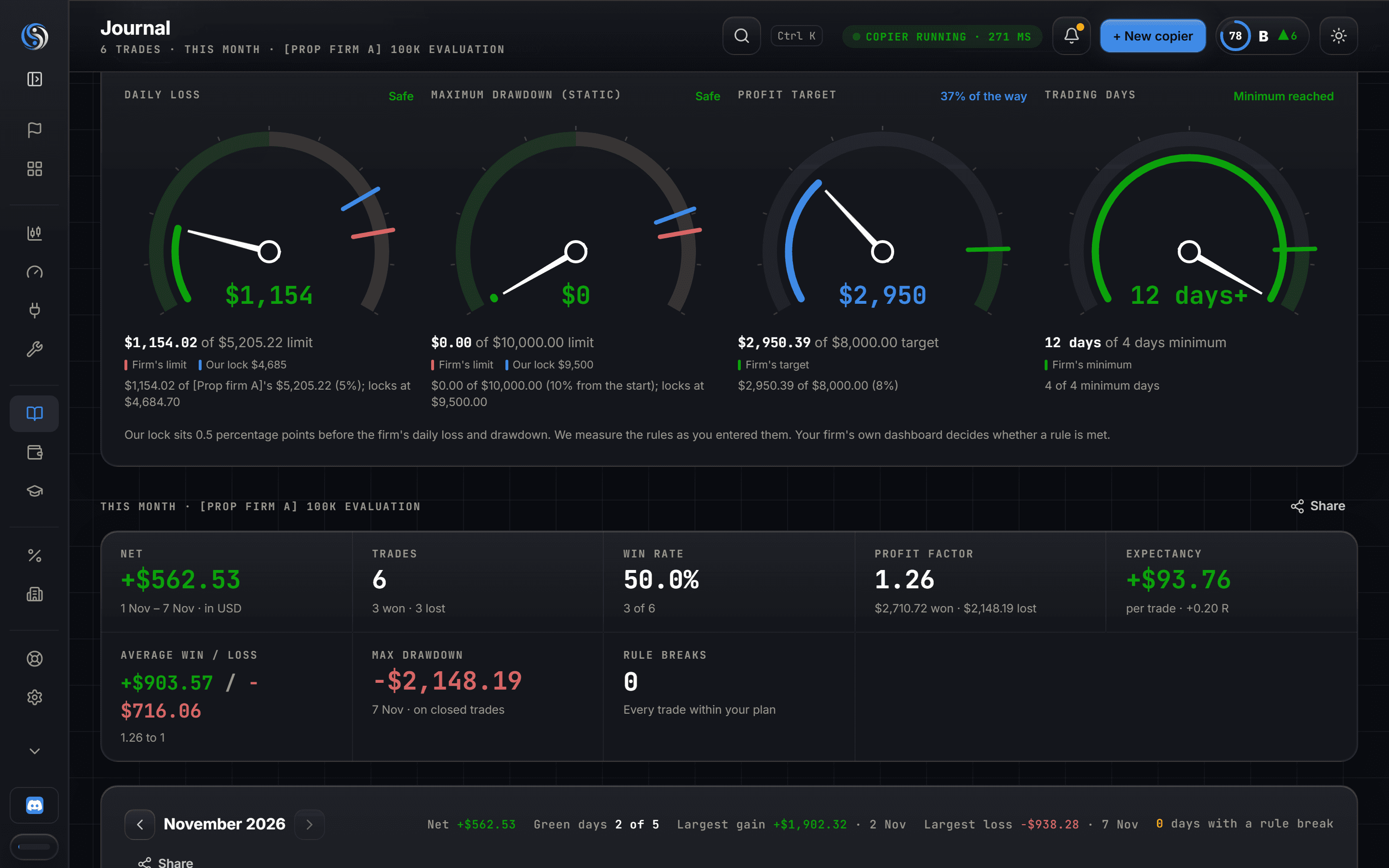
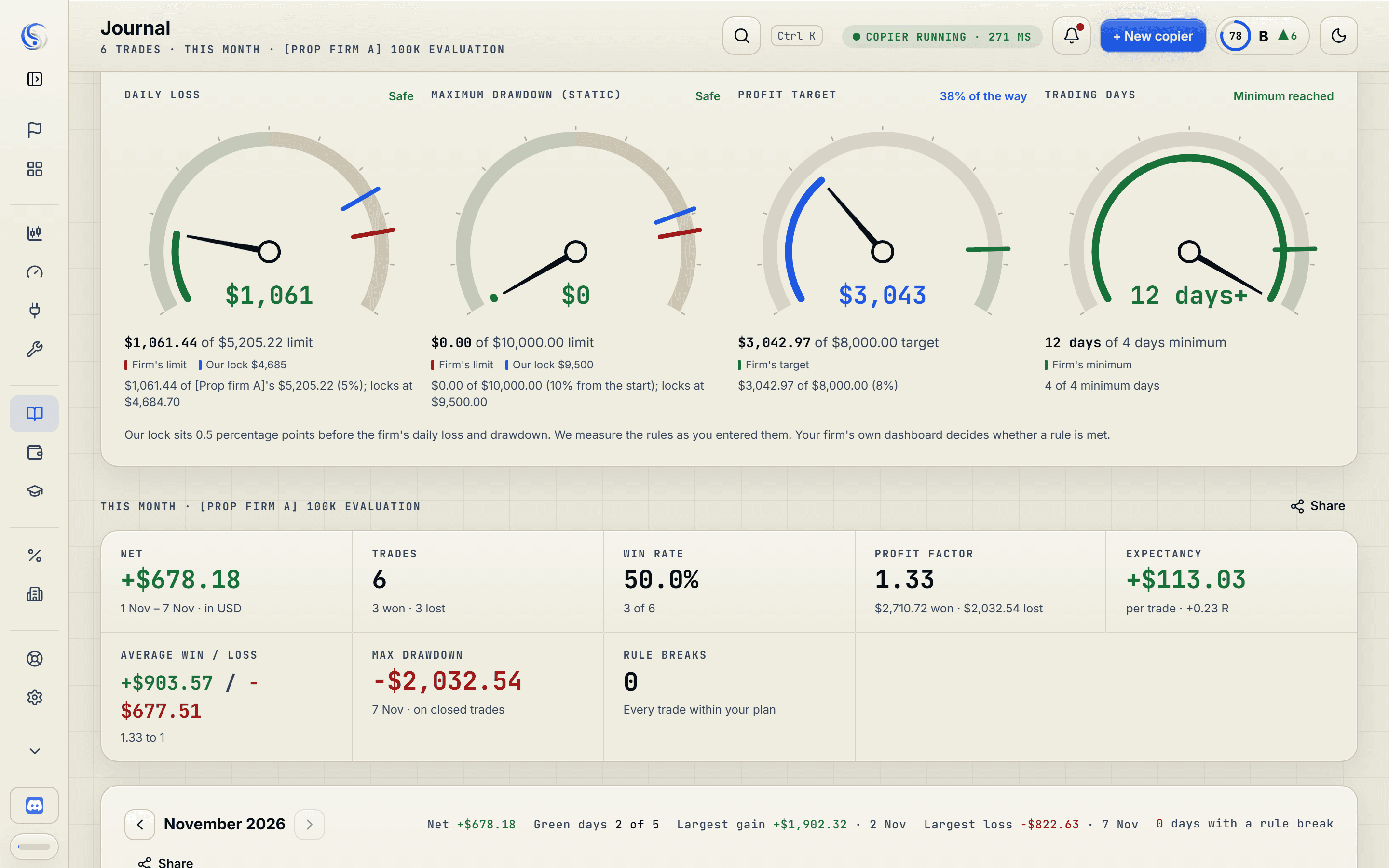
The Journal for one prop evaluation: dials for daily loss, maximum drawdown, profit target, consistency and trading days, each with the firm's limit and the buffer marked.The Journal for one prop evaluation: dials for daily loss, maximum drawdown, profit target, consistency and trading days, each with the firm's limit and the buffer marked.

When the day goes wrongToolkit

See the Toolkit

One bad afternoon, and the challenge you paid for is over.

At your daily limit the account's trades close and new ones wait for tomorrow. Your other accounts carry on.

tradinsolutions.com/app/journal
Journal
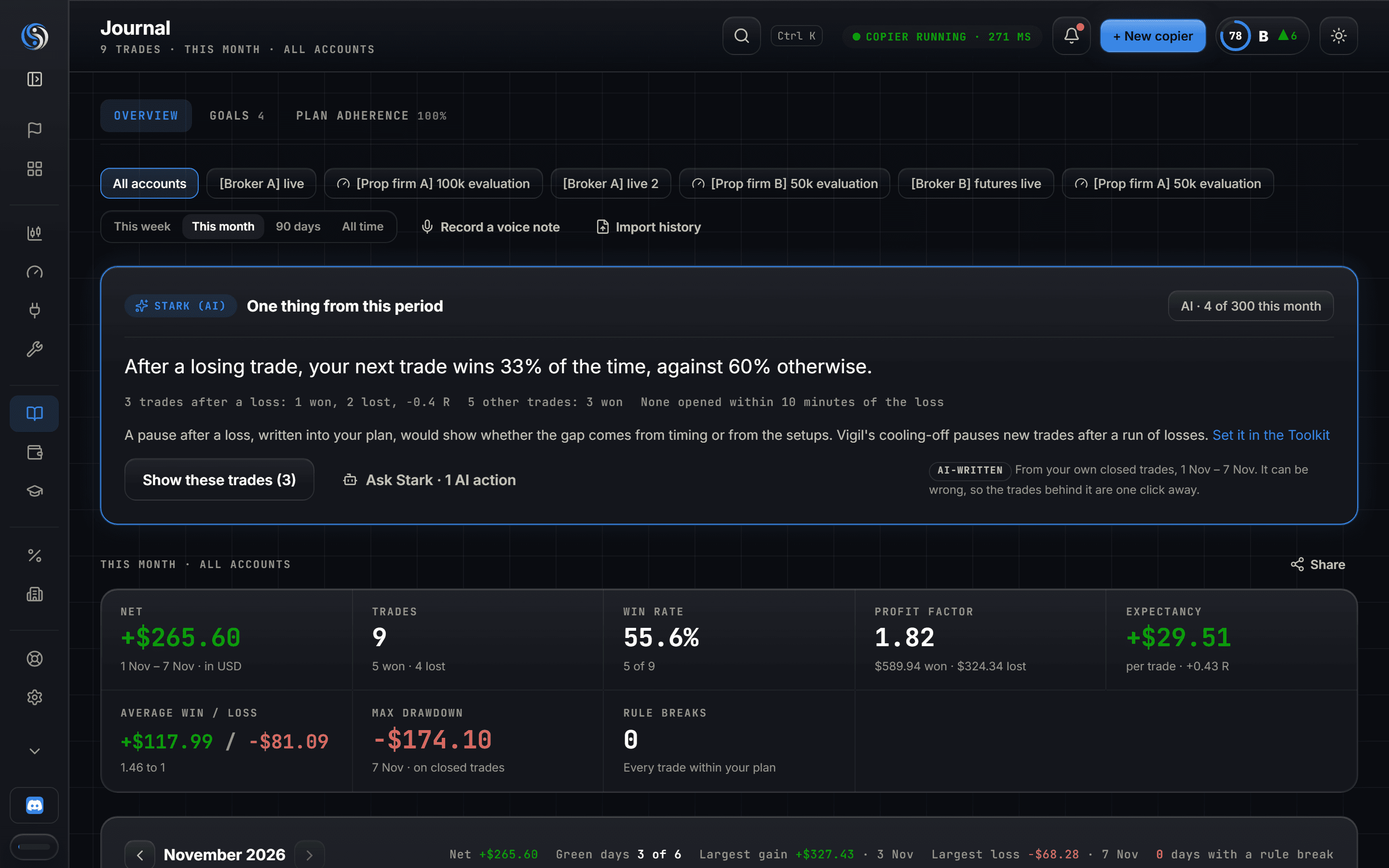
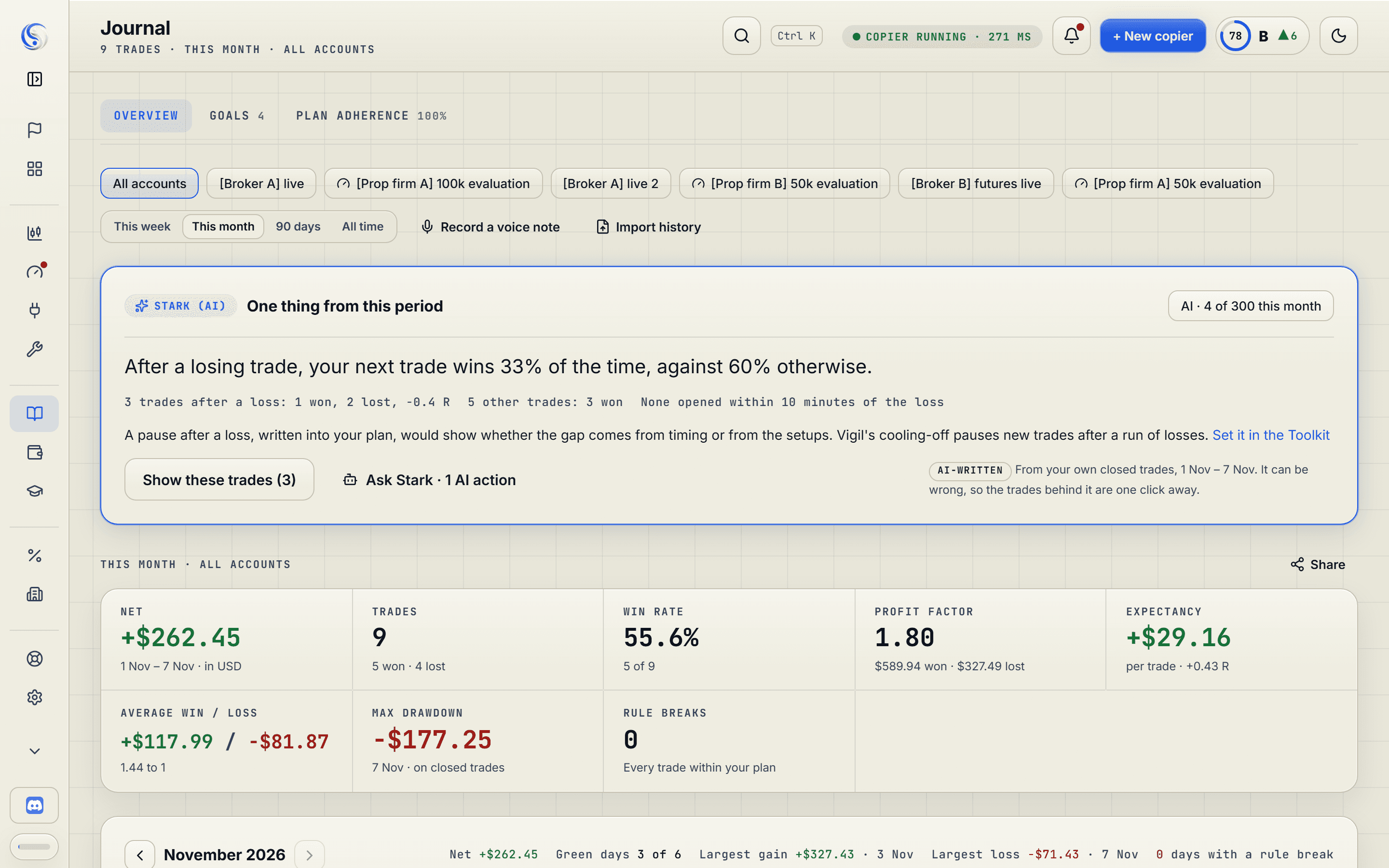
The Journal: the note from Stark (the AI coach), the period's figures, the P&L calendar and the trades table with plan checks.The Journal: the note from Stark (the AI coach), the period's figures, the P&L calendar and the trades table with plan checks.

After the closeJournal and Stark

See the journal

Your trading spreadsheet stopped on the 3rd of the month.

Every trade lands in your journal by itself. Stark, your AI coach, shows you the habit behind the numbers.

tradinsolutions.com/app/cash-flow
Cash flow
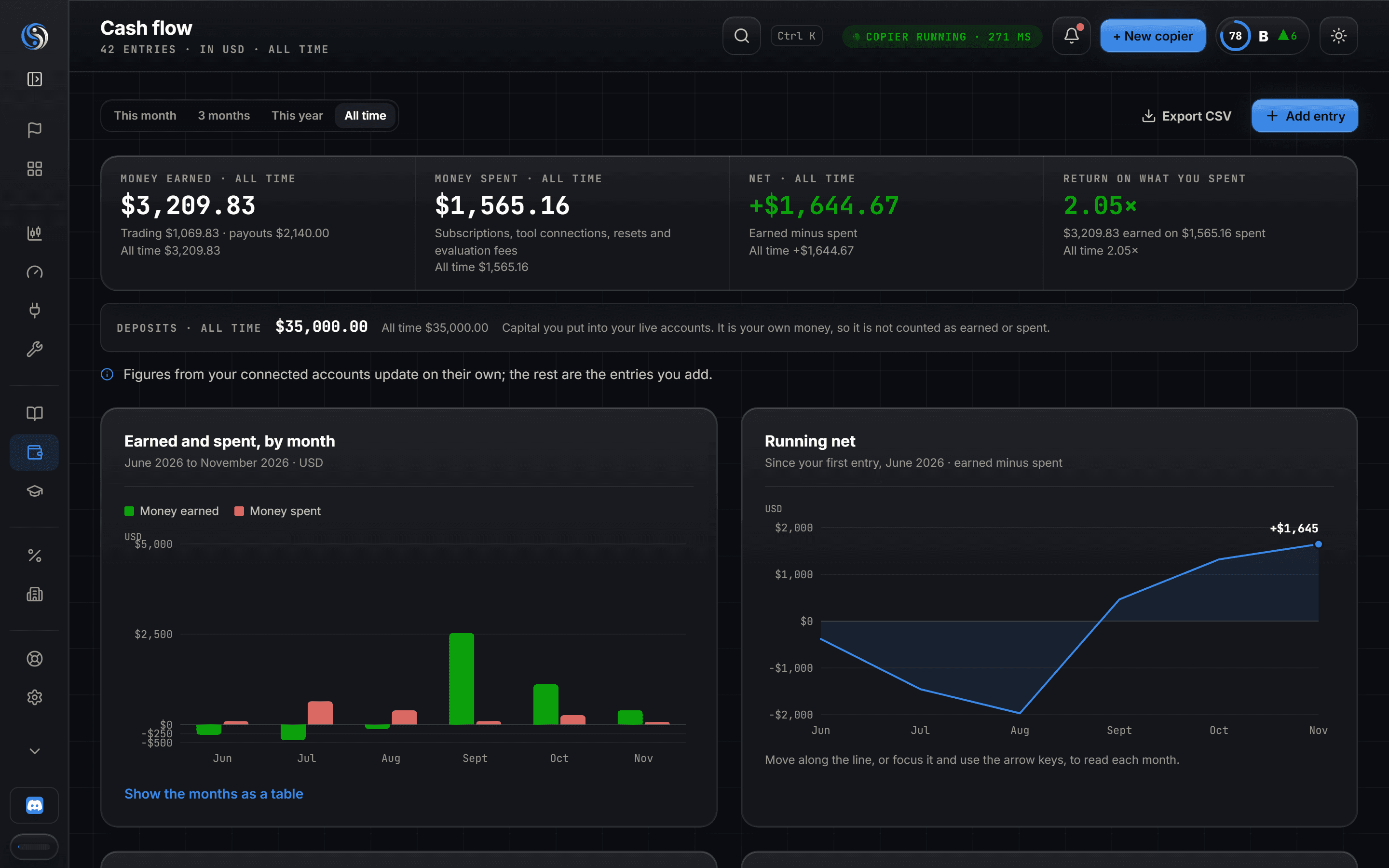
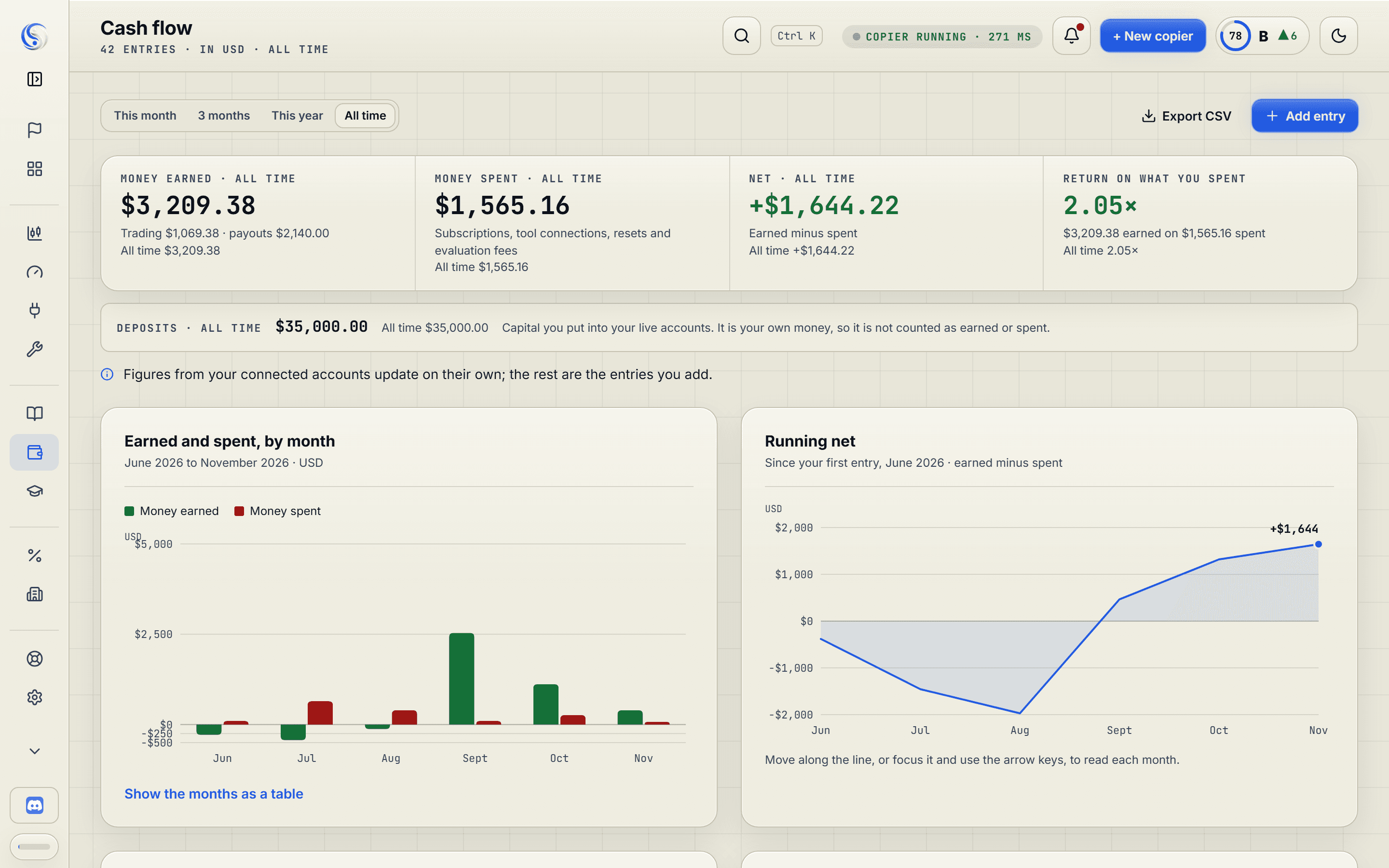
Cash flow: money earned, money spent and deposits, earned against spent by month, and the ledger.Cash flow: money earned, money spent and deposits, earned against spent by month, and the ledger.

At the month's endCash flow

See cash flow

Fees, challenges and resets. Does trading pay for itself?

Every fee, reset and payout in one ledger, with the honest total.

Your cloud-based rule enforcers

Rules that hold when you look away.

They run on our servers, so nothing stays open on your computer. One mission: protecting your capital and enforcing your rules.

Vigil · Discipline guard−$500Daily stop, hit at 10:14

Your 2% day on a $25,000 account is over at 10:14, so a revenge trade at 10:20 is closed as soon as we see it. Open trades close. New ones wait for 00:00 UTC.

  • Daily and weekly stop
  • Trades a day, with a cool-off after a loss
  • News hold
Heimdall · Prop firm rule manager−$4,500Our lock on a $100,000 evaluation

The firm allows −$5,000 a day. Heimdall locks the account at −$4,500, so a slipped stop is far more likely to cost you the day than the account.

  • Your firm's daily loss and drawdown, static or trailing
  • Profit target, consistency and minimum days
  • Risk per trade
Aegis · PnL managerBreakevenStop moved at the first target

Your own trades and your channels' trades get a missing stop and target once they open. At the first target the stop moves to breakeven and the rest trails behind the price. Copies keep the copier's own stops.

  • Auto stop and take-profit
  • Four-level exit ladder
  • Risk cap, a moment after the fill
Built around you

Pick a trader like you. Watch the menu change.

Get StartedOverview
WorkspaceChartCockpitAccountsToolkit
Review & learnJournalCash flowAcademy
GrowProp Firm DealsPartner Brokers
AccountSupportSettings
Show more · 2 left out
OverviewBuilt from your answers
Fits your answers: Pro
MT5TradovatePass prop evaluationsCopy trades between my accountsJournal and review my tradingTrack the money I put in and take out
Prop metersProp firm A 100k
Profit target+3.1% of 8%
Daily loss−0.6% of 5%
Max drawdown−1.2% of 10%
Live copy flowLive to props
MT5 ••••6081Copied
Tradovate ••••3074Copied
MT5 ••••0937Held
Fees and payoutsCash flow
Challenge fees−$984
Payouts+$1,480

Left out for this trader: Macro Desk, Affiliates. Settings › Personalisation adds any of them back.

Example figures, not a real account
Platforms and channels

Works with what you already use.

Your accounts on
MT4Your MetaApi keyMT5Your MetaApi keycTraderTradinSolutions connectionTradovateTradinSolutions connectionNinjaTraderTradinSolutions connection
Calls from
TelegramDiscordTradingView alerts
From the founder
I'm Victor. I traded for five years with too many tabs and a laptop that could never sleep, because my trading script ran on it. One evening my kid closed it with the script still running. So I built my own tools. TradinSolutions is those tools, opened up for everyone. If a page here says more than the app does, write to me and I'll fix one or the other.
VVictorFounder, Groningen, the NetherlandsWrite to Victor
Plans

Start free. Copy from €35 a month.

Your journal, the chart, the Macro Desk and cash flow cost nothing. Every paid plan starts with 7 days free.

Free€02 accounts for your journal, plus the free indicators and tools.
Starter€35Up to 10 accounts, the trade copier, the signal copier and 5 tool connections.
Pro€65Up to 40 accounts, 10 signal channels and 10 tool connections.
Hedge€99Up to 100 accounts (fair use), 25 signal channels, 20 tool connections and Custom Tools.
See pricing
Questions

Before you connect your first account.

Which platforms can I connect?

MT4, MT5, cTrader, Tradovate and NinjaTrader. MetaTrader connects through your own MetaApi key. cTrader, Tradovate and NinjaTrader connect when you sign in on their own page.

How is each copy sized?

Each Follower account has its own rule: fixed lots, a multiplier, or a share of its balance at risk. You can also set the symbols it may take, the hours it trades and its daily loss limit.

Can I copy from a CFD account to a futures account?

Yes. On the Follower, map the Provider's symbol to a futures contract, for example US500 to MES or XAUUSD to GC, and the copier places that contract.

What happens when a copy can't be placed?

It is held or skipped, and the copy log says why. A copy that could not go when you traded is never sent late. A late copy is a different trade at a different price.

Where can the signal copier read calls from?

The Telegram groups, Discord channels and TradingView alerts you already follow. Each call is read into a card and placed by your rules, even while you're away.

Do I have to fill in my journal?

No. Every trade on a connected account lands in your journal by itself. Stark, your AI coach, reads them and shows you your habits.

What does each plan include?
  • Free, €0 a month: 2 accounts for your journal, plus the free indicators and tools.
  • Starter, €35 a month: Up to 10 accounts, the trade copier, the signal copier and 5 tool connections.
  • Pro, €65 a month: Up to 40 accounts, 10 signal channels and 10 tool connections.
  • Hedge, €99 a month: Up to 100 accounts (fair use), 25 signal channels, 20 tool connections and Custom Tools.
What counts as a tool connection?

One cloud tool switched on for one account, with its own settings. Switch it off and the connection is free again.

How does the free trial work?

Join, answer the questions and choose a paid plan. The first 7 days are free, and the app tells you the date the trial ends.

Can I change or cancel my plan?

Yes, in the app, from Settings › Subscription. It shows what changes before you confirm. A cancelled plan runs to the end of the period you paid for.

What is the Solution Score?

A grade from 0 to 100 for how you traded over the last 30 days: limits kept, risk, consistency, results and reviews. It grades the way you trade. A good score never means a trade will win.

Can I change my workspace later?

Any time, in Settings › Personalisation.

Your trades, your rules, your evenings back.

Join free and answer a few questions. Your workspace opens built around how you trade.
Get it