
A 6-point stop on gold risks $600 a lot. $250 ÷ $600 is 0.41 lots, rounded down.
You read the chart in one app, place the trade in another, and log it in a third.
Your limits are checked before the button fires, and your journal trades sit on the chart where you took them.
Copying to your Followers comes with Starter and above.
Your journal trades and the desk's releases sit on the same chart you trade from.
Example figures, not a real account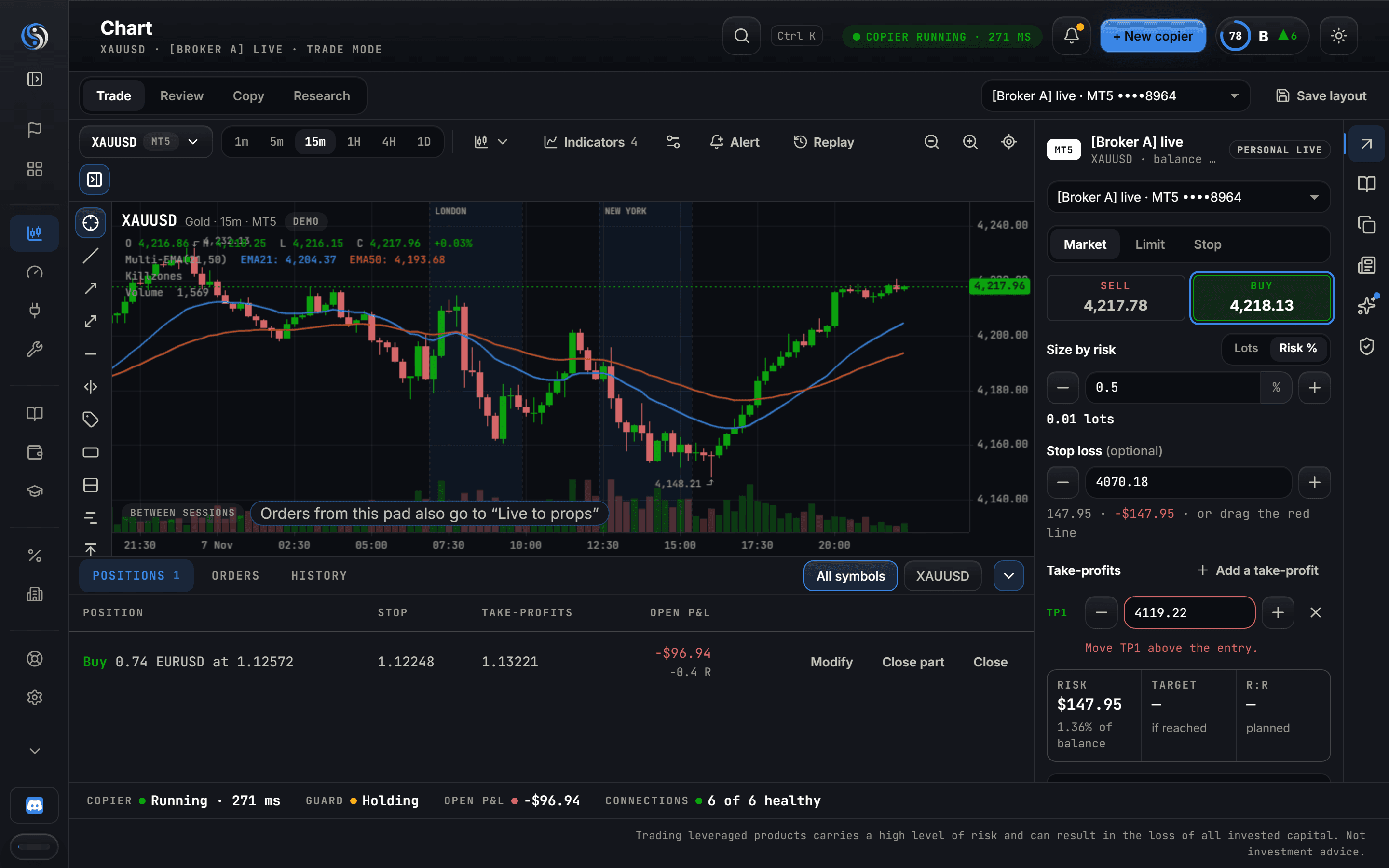
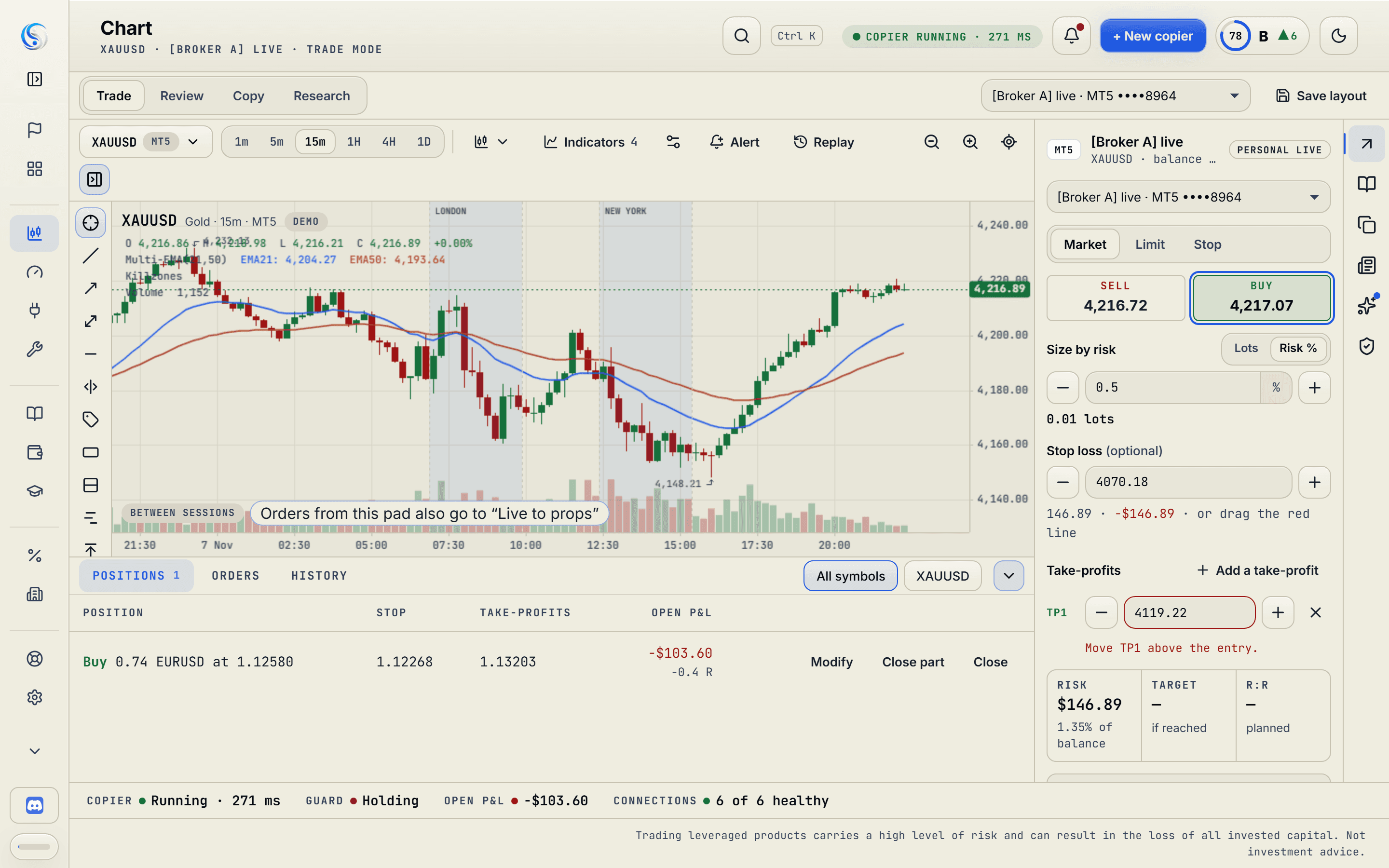
Your watchlist comes from the markets you chose when you joined. The panel beside the chart shows that account's limits and tools.
The size comes from your risk and the account's balance. The button names the account, the size and the Followers before you press it.
Every journal trade is marked on the chart where it opened. Open one, and the review and Stark open beside it.
The real chart on example prices. Journal trades are marked where they opened, the desk's releases are the dashed lines, and the order pad runs every check before it sends.
The account, the size and the Followers it copies to, rewritten as you change the risk or the stop.
A 6-point stop on gold risks $600 a lot. $250 ÷ $600 is 0.41 lots, rounded down.
Each trade is marked where it opened, with its size and result. Open one and review it without leaving the chart.
See how it worksTick “Also send to” and the order goes to that copier's Followers, each at its own size.
See how it worksMarket hours, a lock from Vigil (discipline guard) or Heimdall (prop firm rule manager), your trades today and their news hold are checked first. If one says no, the button says which one.
See how it worksHigh-impact releases for the symbol sit on the time axis as dashed lines. The next one is named under the chart.
See how it worksAn icon strip down the right edge opens each panel. Press the open one and it folds away, so the chart takes the room.
They work while the keyboard is on the chart, and stay out of your fields, dialogs and the panel.
Fills and positions live at your broker. The chart is one more place to trade from, with your tools and your journal on it.
Forex, metals, indices, energy and crypto prices come from a public feed. Your broker quotes its own, and the journal records the price you got.
Tradovate and NinjaTrader accounts still copy, fill the journal and show in cash flow.
You read the chart in one app and place the order in another. Here the order goes from the chart you read, once your tools have checked it.
Order pad · drawing tools · editable indicatorsYour manual trades meet the same locks as your copies. Heimdall, your prop firm rule manager, says no before the firm does, and its news hold says when.
Heimdall · news hold · prop dialsSee every past entry on the chart where it happened, with its result. Open the review and Stark from there.
Journal marks · StarkNo. Your platform keeps working, and your positions stay at your broker. The chart is one more place to trade from, with your tools and your journal on it. If the copier is offline, your trades stay at your broker with their own stops.
Forex, metals, indices, energy and crypto prices are reference prices from a public feed. They sit close to your broker's, but every broker quotes its own. Your fills come from your broker, and the journal records the price you got. Futures prices are not on the chart yet. Futures accounts still copy, fill the journal and show in cash flow.
Candles, hollow candles, OHLC bars, line and area. Moving averages, Bollinger Bands, RSI and MACD with editable periods, sources and colours, plus trend lines, horizontal lines and price lines. Timeframes run from one minute to a day.
Your stop and target, before and after you send, with up to three take-profits, each with its share of the position. It sends to one copier at a time, with each Follower's size listed under the button.
Trade, Review, Copy and Research. A switch above the chart picks which panel leads and what is drawn on the price. The wheel zooms the chart, never the page.
Yes. Free gives you 2 accounts for your journal, plus the free indicators and tools to download, and you can trade those accounts from the chart. Sending an order to your Followers comes with Starter, Pro and Hedge, and so do the cloud tools that check an order before it leaves.
Yes. Import your history into the journal and those trades are marked on the chart too.
Join free and tell us how you trade. The chart is on every plan, Free included, with your watchlist built from the markets you choose.